 iPhone · Coming soon to the App Store
Scan safely. Create boldly.
Scanvas is the fast, friendly way to scan and create QR codes and barcodes — with a built-in safety check that shows you where a link really goes before you tap it. No ads, no accounts, no tracking.
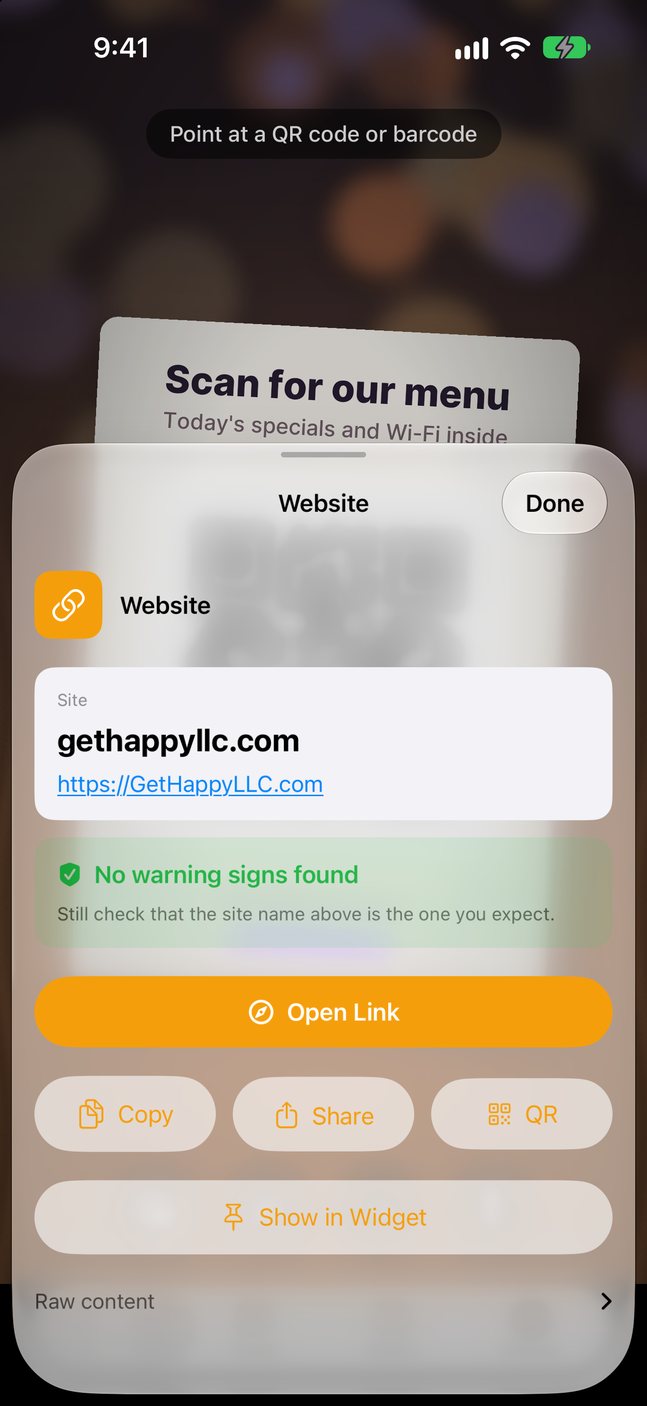
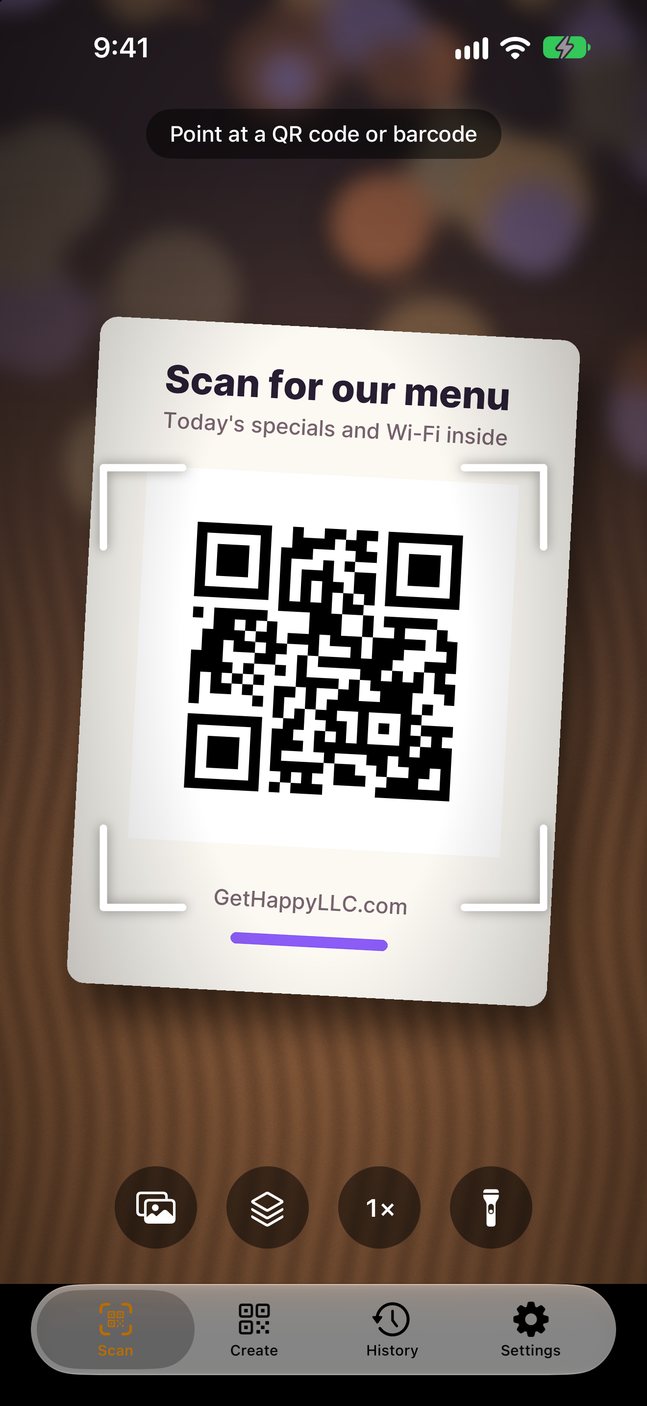
Fake QR codes on parking meters, menus, and flyers are a growing scam. Scanvas checks every link before it opens.
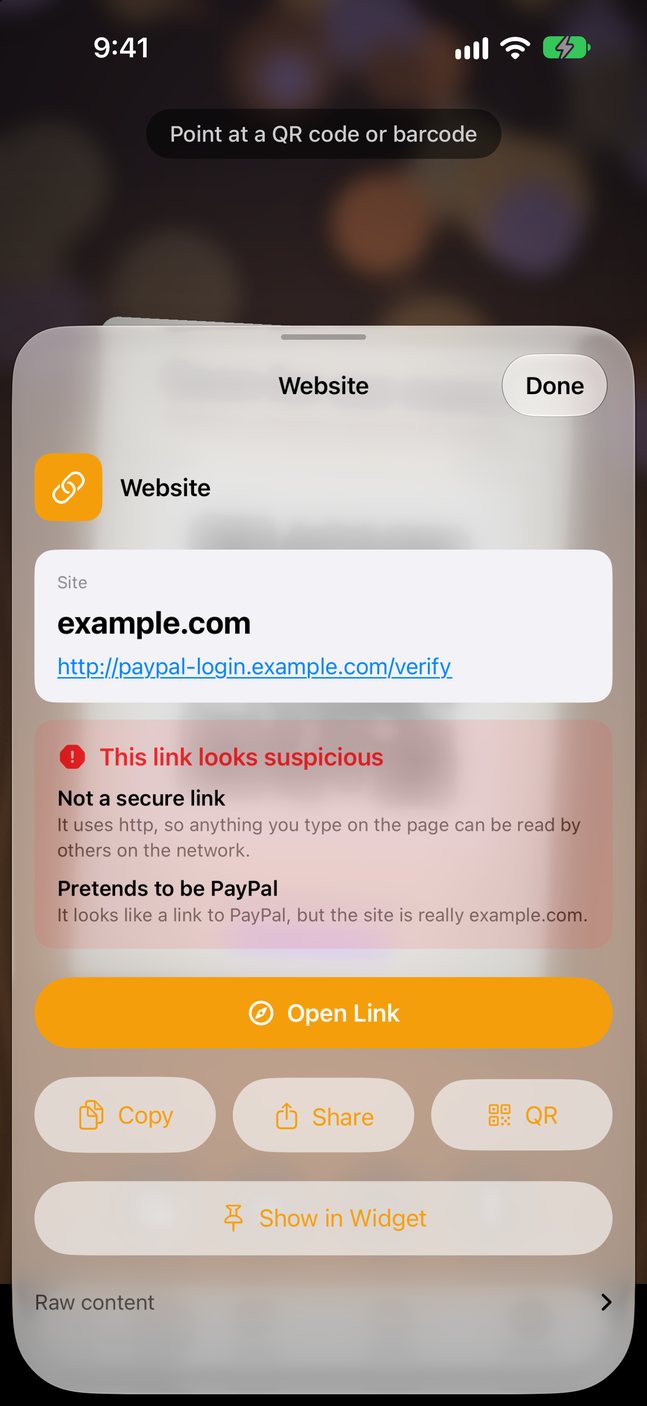
The real site name in big, clear type — and fake brands, look-alike letters, and tricky links flagged in red
The website a link actually belongs to, in big, clear type, before anything opens.
bit.ly, TinyURL, and dozens more: see where a short link really leads without visiting it.
Fake brand names, look-alike letters, raw IP addresses, hidden @ tricks, and insecure links.
Suspicious links never open by accident, even with automatic opening turned on.
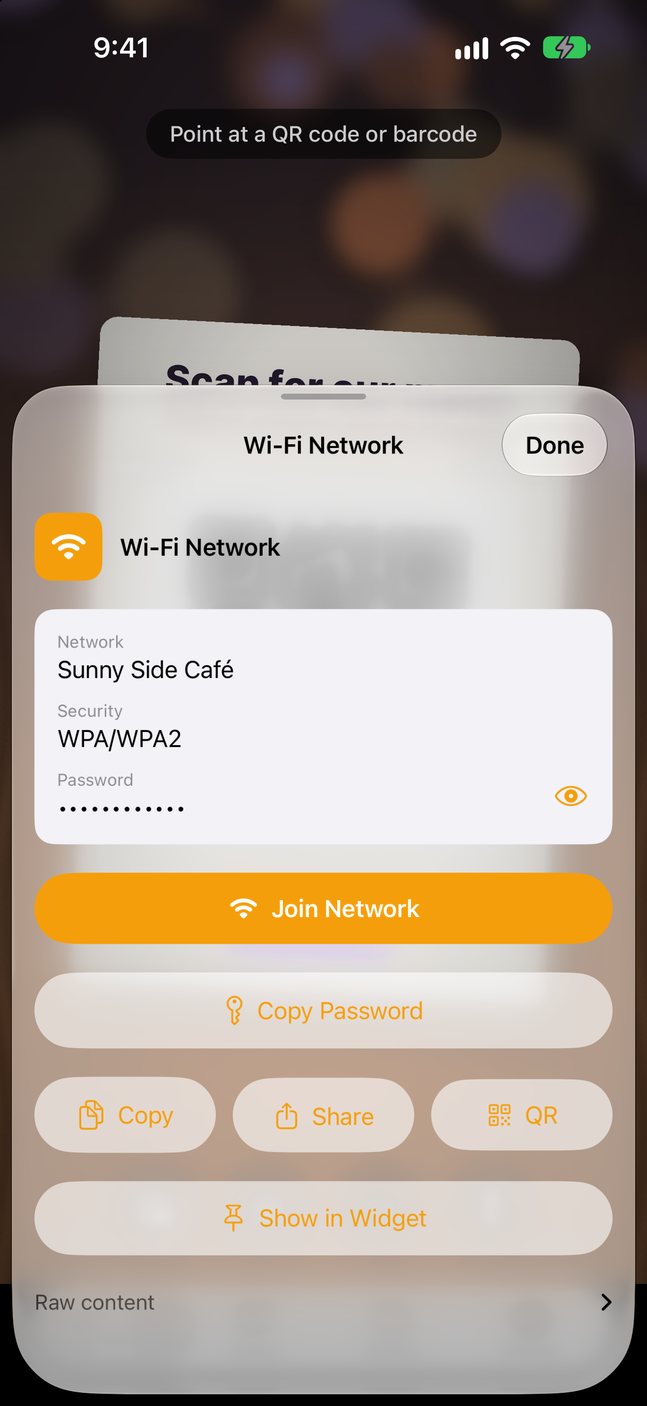
Scanvas reads QR codes and barcodes in an instant, focuses up close, and gives you the right button for whatever a code holds.
Join the network, or copy the password.
Add a contact card to Contacts in one tap.
Add events to your calendar, and see locations on a map.
Ready to send, with the details already filled in.
EAN and UPC barcodes, with a one-tap product search.
Scan codes in photos and screenshots, or from the Share menu in any app.
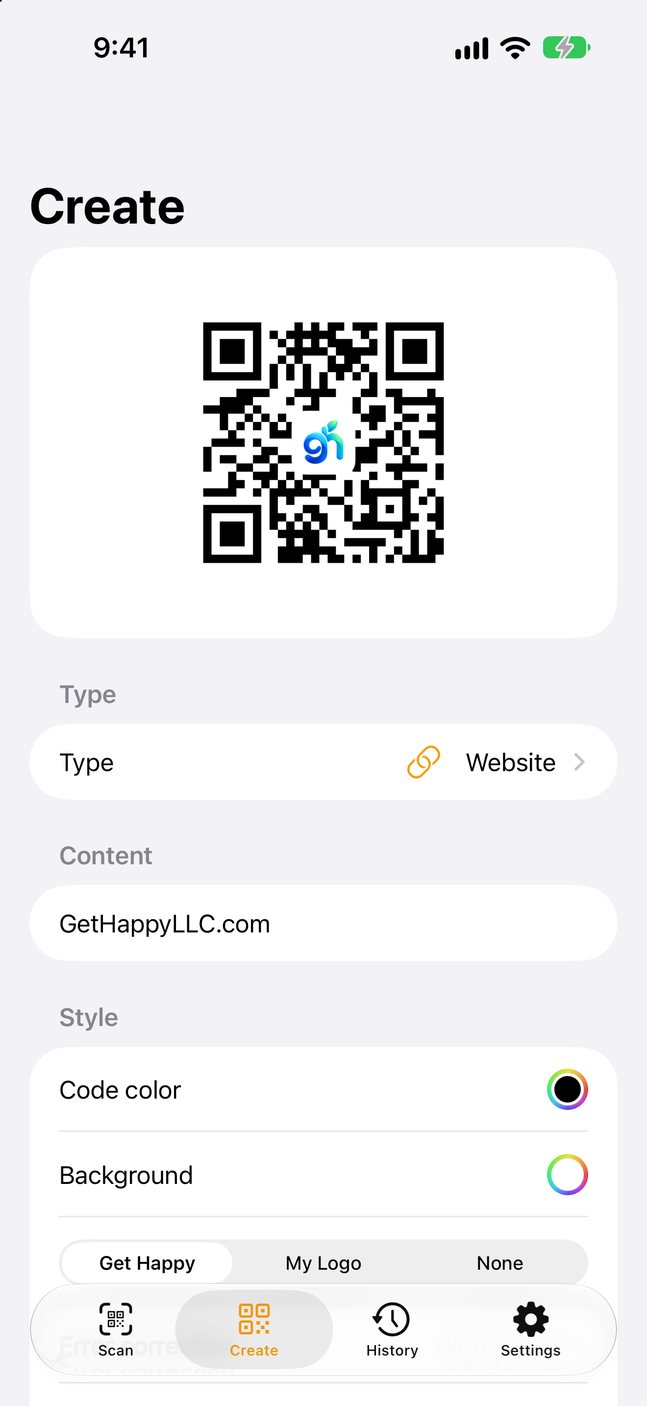
QR codes for websites, text, Wi-Fi, contacts, email, phone, texts, calendar events, map locations, and App Store apps. Pick your colors and put your own logo in the middle — Scanvas test-scans the result so you know it works.
Your logo in the middle, your colors around it — then save to Photos or share anywhere
History keeps every code you scan or create: search it, name things, add notes, star favorites, and export it all. Batch mode keeps scanning without stopping and exports the list as a spreadsheet in one tap.
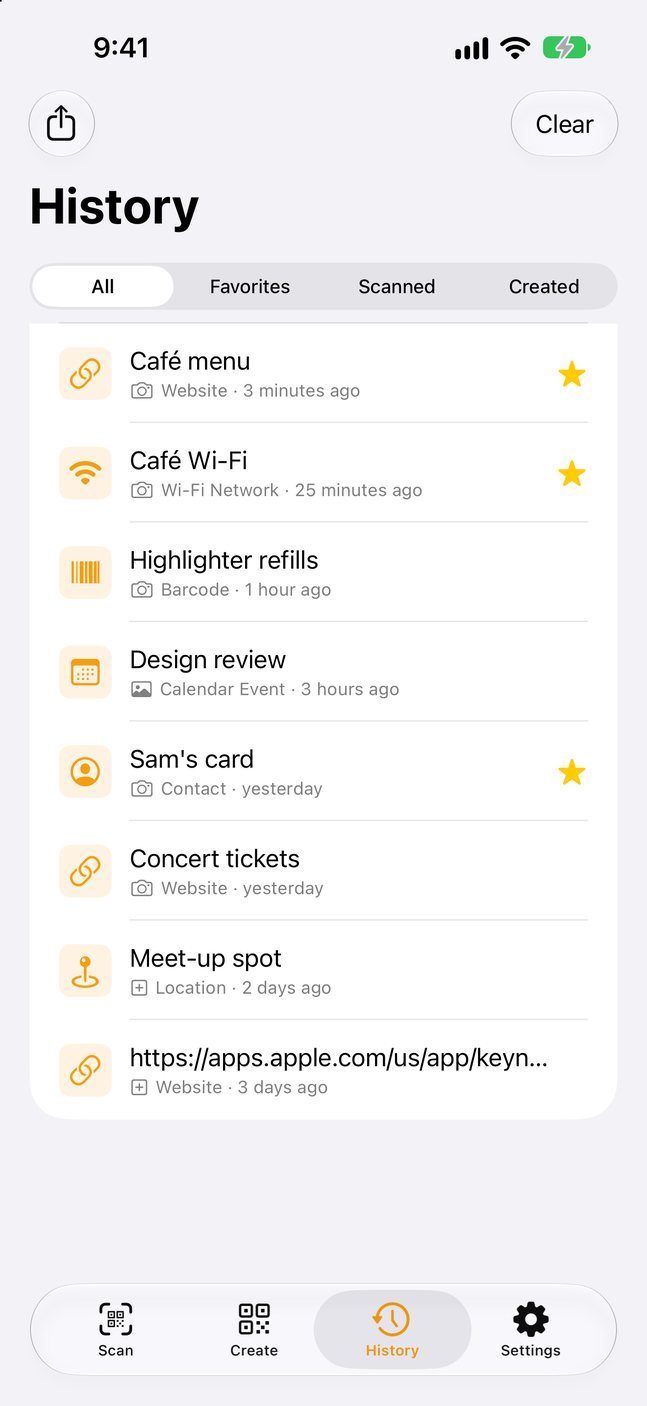
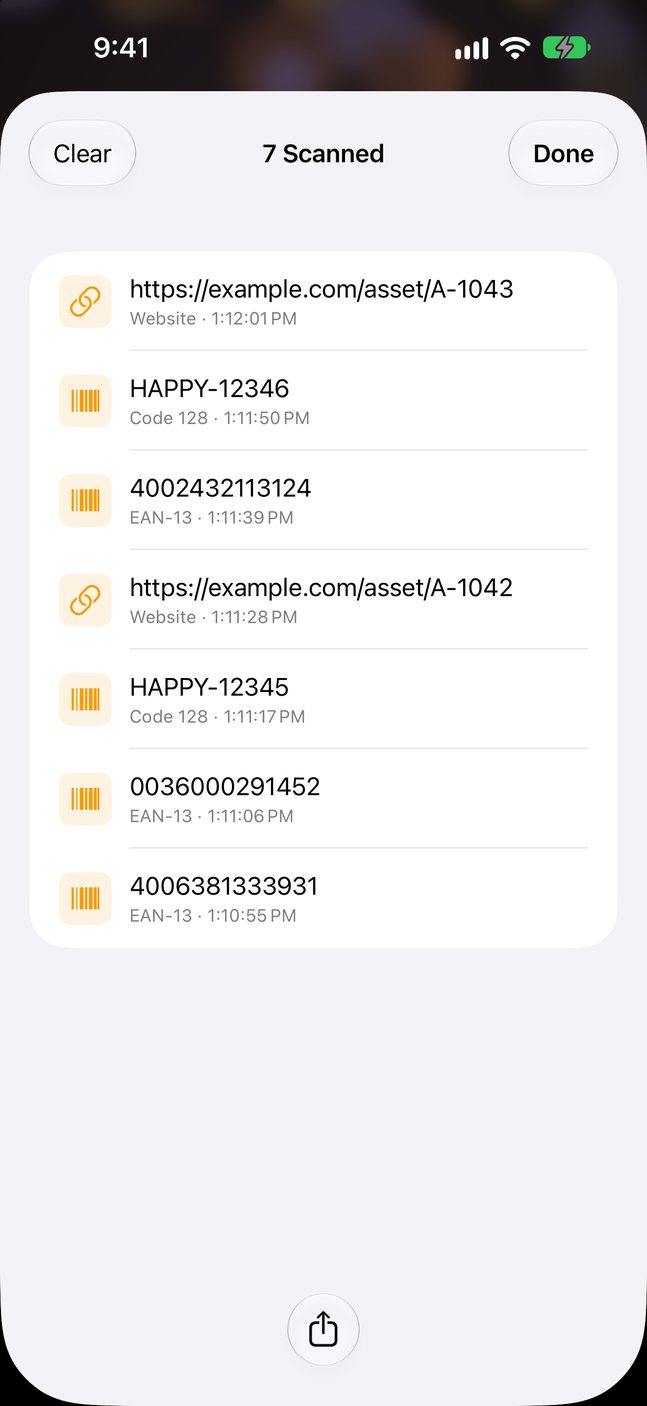
History with names and favorites, synced through your own iCloud — and batch mode for inventory, events, and check-ins
Home Screen and Lock Screen widgets, a Control Center button, and the Action button. Pin your Wi-Fi or contact code to a widget to show it in a flash.
Ask Siri to "Scan a code with Scanvas", or use "Scan with Scanvas" from the Share menu.
Your codes stay on your iPhone and in your own iCloud. Get Happy never sees them.
Nothing to watch, nothing in the way
Open it and start scanning
No analytics of any kind
History syncs privately across your devices
Requires iOS 17 or later. Widgets and the Control Center button require iOS 18 or later.
Scanvas is on its way to the App Store — a QR code and barcode scanner that checks every link before it opens, and a maker for codes worth showing off. No ads, no accounts, no tracking.
 Get Happy