 macOS · Now on the Mac App Store
Live animated scenes for your Mac desktop
Gentle snowfall while you work. Fireflies at dusk. The aurora shimmering behind your windows. Serene Screens plays 40 hand-crafted scenes right on your desktop — and stays out of your way in the menu bar.
Scenes animate behind your windows, in front of your wallpaper
Designed to be beautiful when you look and invisible when you work.
Weather, nature, festive lights, night skies, and seasonal fun — every scene individually designed and animated, from drifting fog to Santa's sleigh crossing a snowy forest.
Animations play behind your windows and in front of your wallpaper. Your desktop, icons, and apps work exactly as before — Serene Screens is scenery, not an obstacle.
Each scene has its own speed, amount, wind, and size controls. Dial in a single lazy snowflake or a full blizzard — your settings are remembered per scene.
Choose exactly which screens show animations. Each display renders at its own native refresh rate for perfectly smooth motion.
A tiny menu bar app with no dock icon. Pause anytime — paused means truly paused, with zero CPU and zero energy use.
No network access, no accounts, no tracking, no analytics. Serene Screens never collects a single byte of your data — and never will.
Forty scenes across five collections — calm weather for deep focus, festive lights for the holidays, and pure fun for everything in between.
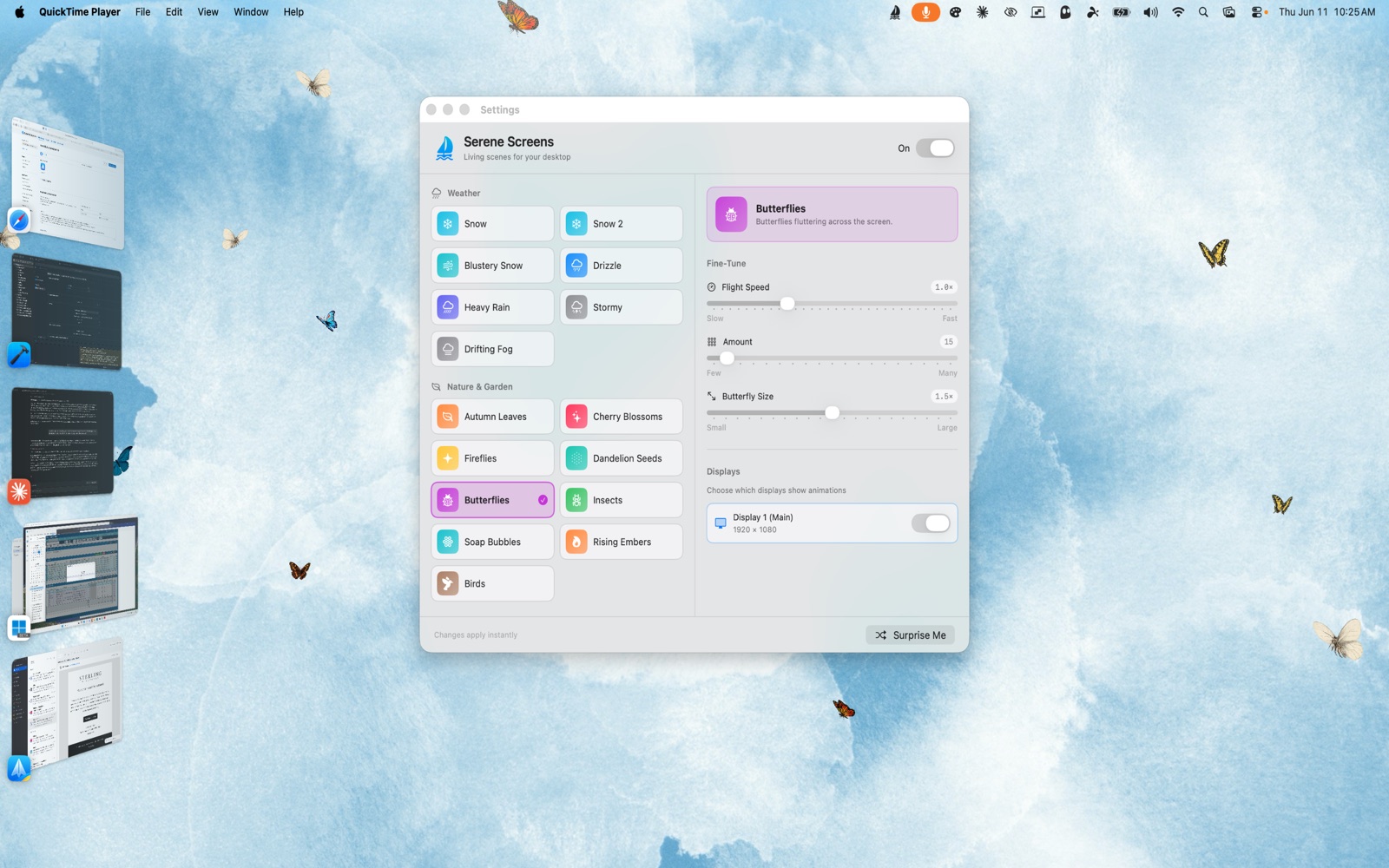
Every scene, one window — browse by collection, fine-tune with four sliders, pick your displays, or hit Surprise Me
Serene Screens lives in your menu bar — just click the sailboat icon and open Settings. No dock icon, no clutter.
Choose from five collections — Weather, Nature & Garden, Festive Lights, Sky, and Seasonal & Fun. The animation starts instantly.
Adjust speed, amount, wind, and size to taste. Some scenes save their best moments for patient eyes — lightning, meteors, and a certain sleigh arrive on their own schedule.
Lightweight, private, and built natively for your Mac.
Five collections covering every season and mood
No dock icon, no windows in your way
Pausing stops all rendering completely
Nothing collected, nothing sent. Ever
Requires macOS 14 Sonoma or later.
40 hand-crafted scenes, one tiny menu bar app. Download Serene Screens today.
 Get Happy